
Get pinged the moment a call needs you.
You don't have to watch Conversations all day. Owner alerts pushes the moments that matter — a booking to approve, a caller who wanted a person — straight to Telegram, email, or SMS, plus a recap after each call if you want one.
Set this up once from Notifications and it runs quietly in the background — no news is no news, and the things that need you land wherever you told it to send them.
Three ways to hear about it
KlevaDesk can reach you three ways: Telegram (free, instant, and the only channel with quick-reply buttons), email, and SMS. You can add up to 3 destinations per channel — say, your phone plus a manager's.
One thing to know about SMS: each text costs a small amount to send, and every alert goes out to all of your SMS destinations — so a second or third SMS number multiplies that cost. Telegram and email don't have that tradeoff, which is why Telegram is the one we'd start with.
Connect Telegram in 30 seconds
Telegram is the fastest way to get set up, and it's free:
- DM @KlevaDesk_bot on Telegram.
- Send it the command
/chatid. - It replies with a number — paste that number as the address when you hit Add destination on the Telegram channel.
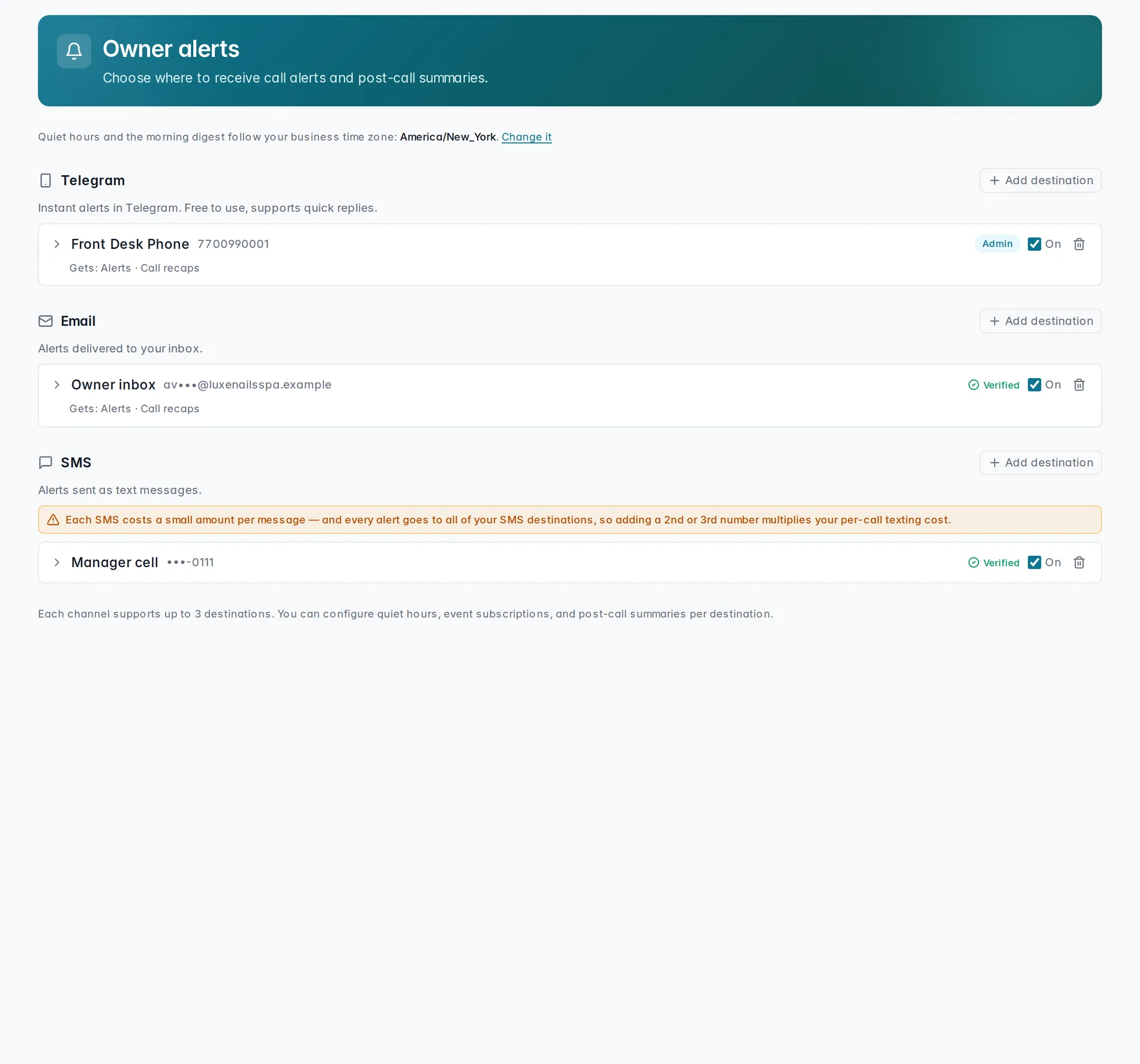
Pick what pings you
Toggle exactly what reaches you:
- Booking needs your approval — someone asked to book and it's waiting on you.
- A call needs a person — the AI couldn't handle it and wants you.
- New voicemail — with an optional Include transcript, and on Telegram or email, Attach audio (not available on SMS).
- New text conversation — a new SMS thread came in.
Recaps and the daily summary
Turn on Recap after each call to get a short note after every conversation — filter it down to All calls, Billable only, Transferred, or Wanted to book, so you're only getting the ones you actually care about. Prefer one message instead of one per call? Daily summary sends a single end-of-day rollup — turn it on alongside per-call recaps, or use it on its own.
Quiet hours
Set Quiet hours — say, 10:00 PM to 8:00 AM in your business time zone — and KlevaDesk holds real-time alerts until they lift, so a late text or an after-hours voicemail doesn't wake you up. The Daily summary ignores quiet hours, since it's one rollup at the end of the day rather than a real-time ping.
Watch it in action
Connecting Telegram and choosing what alerts you get, start to finish:
Connecting Telegram alerts
From DM to @KlevaDesk_bot to your first test alert.
Coming soonAn alert tells you something happened — Conversations is where you read the whole thing. And when a booking's specifically waiting on you, see Booking approvals.
Still stuck? We answer fast.