
You approve the booking before it's real.
Your AI captures what a caller wants to book — but you sign off before it's confirmed. Nothing lands on your calendar without your say-so.
Think of Pending approvals as the AI's proposal tray. It listens, it captures the details — but the owner always confirms before anything's real, so you stay in control of your own calendar.
What lands here
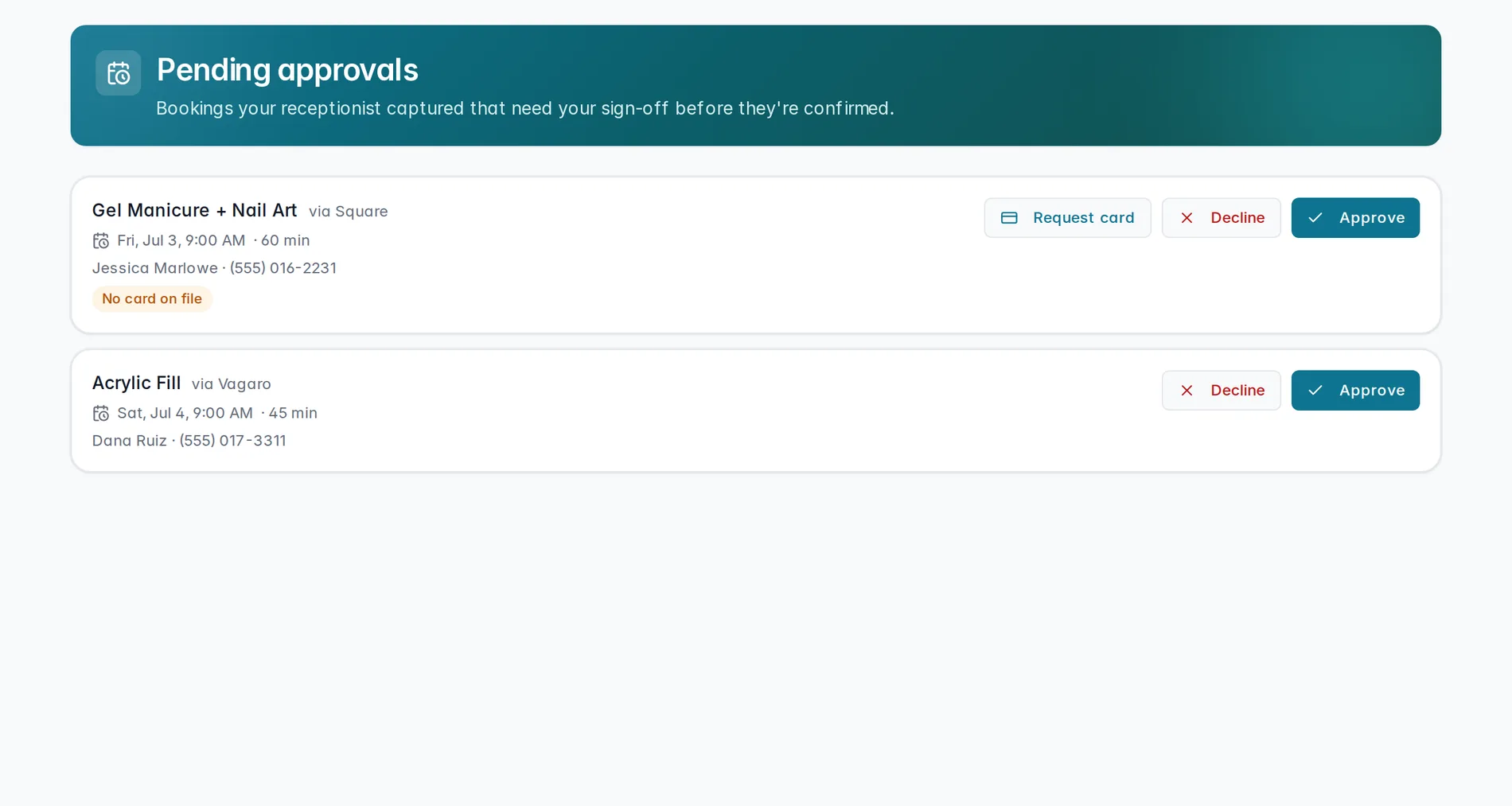
Every booking your AI captured that needs your sign-off shows up as a card here — newest first. Once you're caught up, the page simply reads "No bookings waiting for your approval."
Reading a request
Each card shows the service the caller wants (and which
system it'll book into, like via Vagaro), the requested
time and duration, and the caller's name
and number so you know exactly who you're confirming for.
Approve, decline, or ask for a card
Every card gives you two calls to make: Approve confirms the booking straight into your connected booking system, and Decline tells the AI it won't be created — nothing is booked without one of these. For Square bookings with no card on file, you'll also see Request card, which texts the caller a secure link to put a card down before you confirm.
Get pinged
Don't want these to sit and wait? Turn on the "Booking needs your approval" alert so you get pinged the moment one lands, instead of checking back on your own schedule.
Approving a booking
Reading a request, and the difference between Approve, Decline, and Request card.
Coming soonSet up the ping in Owner alerts. And if a card here looks off — wrong service, wrong system — head back to Booking & data to check the connection.
Still stuck? We answer fast.