
Connect your booking system.
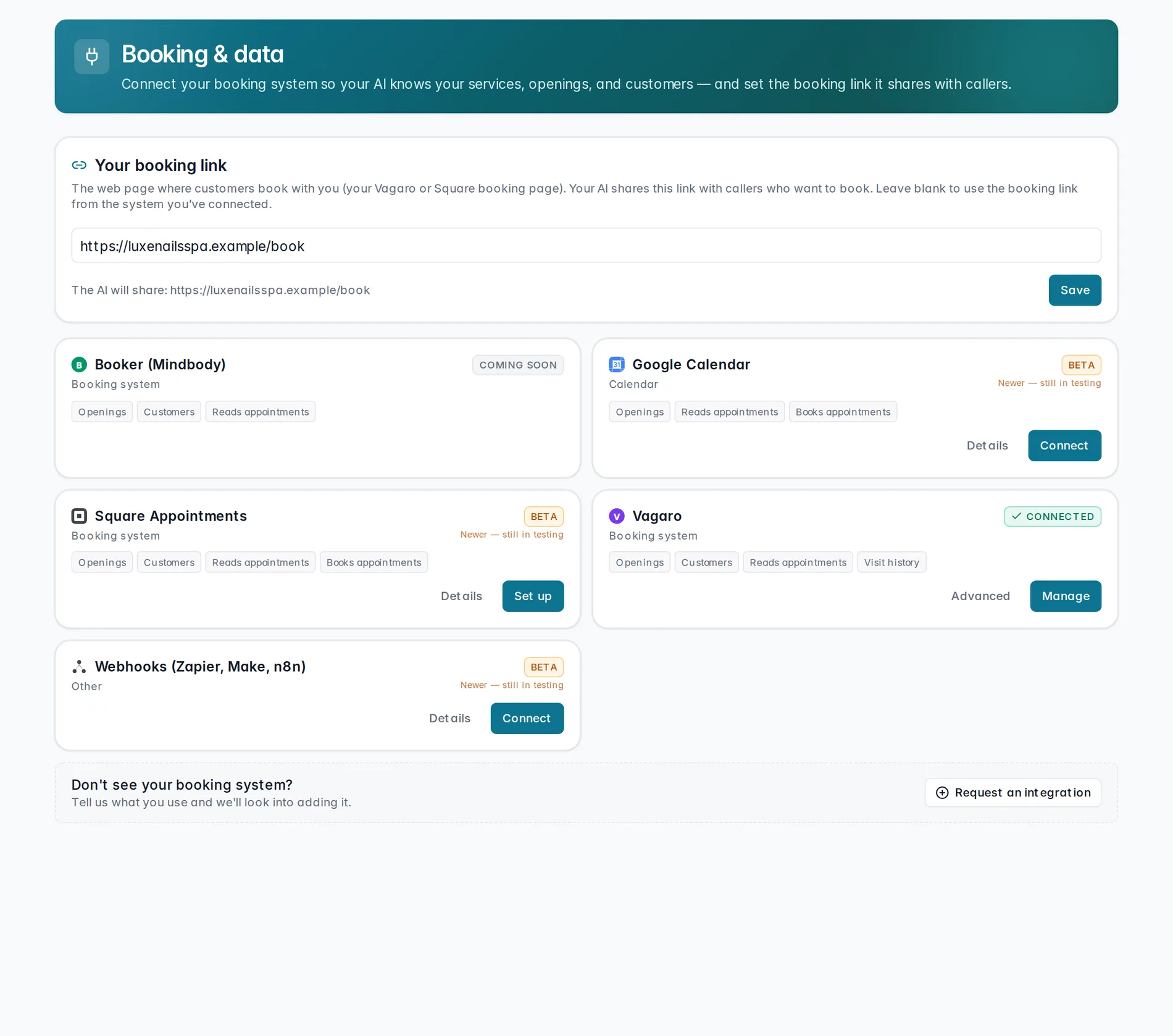
Connect Vagaro, Square, or Google Calendar so your AI always knows your services, openings, and customers — and can hand callers a real booking link instead of a guess.
Think of Booking & data as the bridge between your AI receptionist and your real calendar. Connect a provider once, and your AI stays current automatically — no retyping your services or availability anywhere else.
Your booking link
At the top of the page, Your booking link is the web page where people already book with you — your Vagaro or Square booking page. Your AI shares this link with callers and texters who want to book online. Leave it blank once you've connected a provider below, and KlevaDesk falls back to the booking link from that system automatically.
Connect Vagaro
Vagaro connects by pasting in a set of credentials from your account — it isn't a one-click login. Press Connect Vagaro and fill in:
- Region — e.g.
us04, theusXXprefix in your Vagaro dashboard URL. - Client ID — from your Vagaro account.
- Client secret — paste once; KlevaDesk stores it and never displays it again.
- Booking-sync key (optional) — the signing key Vagaro gives you when you turn on instant booking updates.
- Business ID (optional) — filled in automatically on first sync if you leave it blank.
Find all of these in Vagaro under Settings → All Settings → Developers → API & webhooks. Once they're in, press Connect Vagaro to finish.
Connect Square or Google Calendar
Square and Google Calendar connect differently — no keys to hunt down. Press Connect with Square (or Connect with Google), sign in on their site, and approve access. That's it — KlevaDesk handles the rest.
If the button is greyed out, that integration isn't turned on for your account yet — you'll see a note to contact KlevaDesk support to enable this integration.
Once you're connected
From then on, your AI reads your live services and openings on every call and text — nothing to update by hand. It can also share your booking link the moment a caller asks. Any provider you've connected shows a green Connected badge here, so you can see your coverage at a glance.
Connecting Vagaro
Paste your credentials once and your AI is synced with your real calendar.
Coming soonOnce a booking comes in, you'll sign off on it in Booking approvals. And every caller's history feeds their own Customer profile automatically.
Still stuck? We answer fast.